98 ready layouts
Start every page from a layout made for clinical photos. Frames, title bars and label boxes are already placed inside the margins, and every one stays editable.
Layouts grouped the way you work
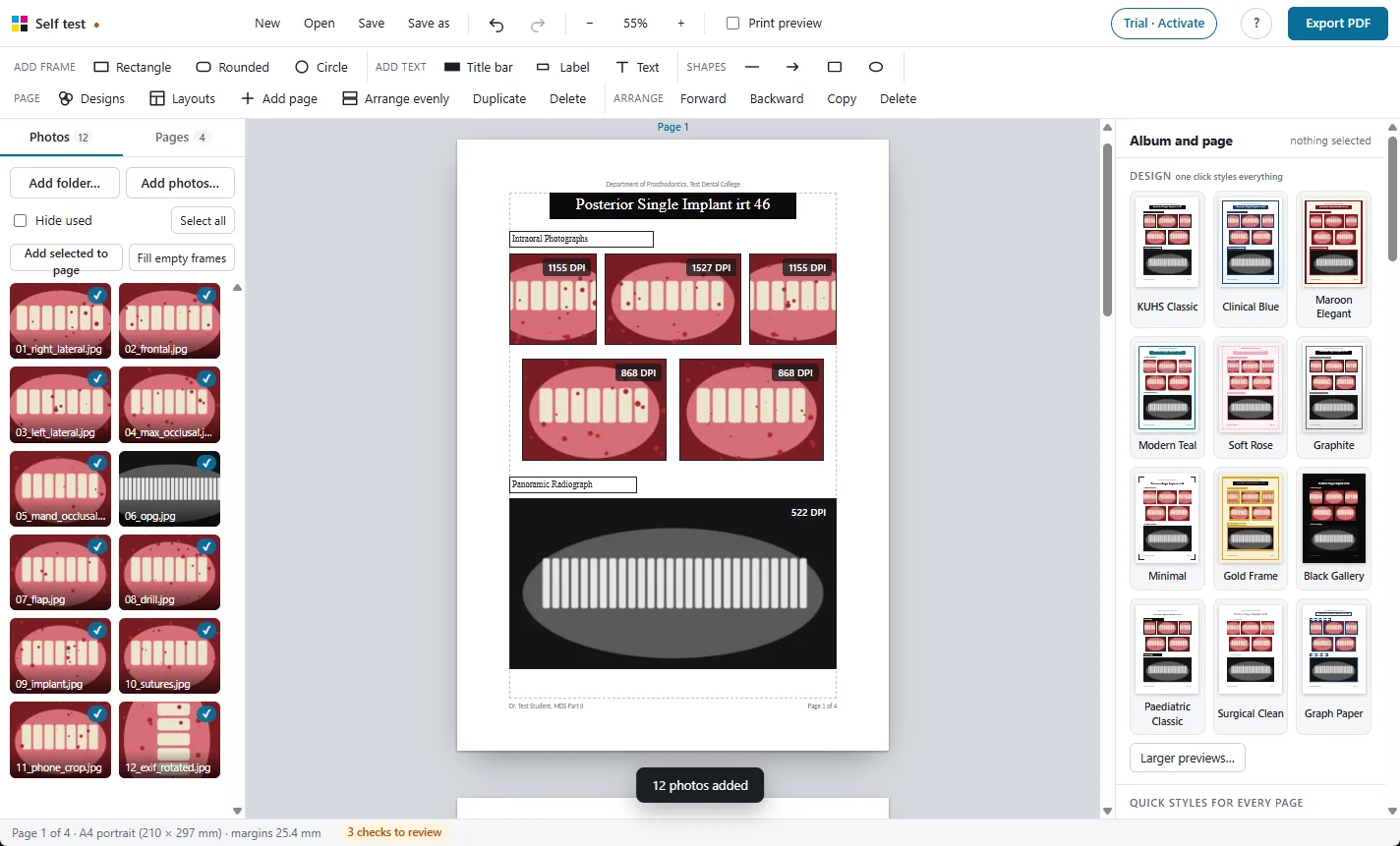
- KUHS case pages: a title, intraoral photographs in rows of three and two, and the wide OPG frame; labelled procedure steps; prosthesis pages.
- Clinical series: six intraoral views, four extraoral views, OPG with three IOPAs, CBCT with sections, records sets, crown steps, a photo with findings text.
- Comparisons: before and after, pre-op / intra-op / post-op, follow-up with time captions, steps joined by arrows.
- Case pages: a case title page, patient details with aligned “Name : value” lines, section dividers, titles with two or four photos.
- Grids and collages: 1 to 12 photos, Polaroid sets, circle portraits, white mats, mosaics.
- Orthodontics: cephalometric findings table, diagnosis and treatment plan, extraoral and intraoral series, ceph and OPG, comparison.
- Periodontology: periodontal charts for both arches, indices before and after, flap surgery steps, root coverage with measurements.
- Conservative and Endodontics: IOPA series from pre-op to follow-up, clinical steps, restorations, an endodontic record with a canal table.
- Oral Medicine and Radiology: lesion photos with clinical findings, OPG and CBCT sections, diagnosis and management.
- Oral Pathology: histopathology grids with magnification tags, gross specimen and report.
- Public Health Dentistry: dental camp pages and survey tables.
- Prosthodontics: complete denture steps, plus the KUHS implant and prosthesis pages.
- Creative collages: bento grid, hero with filmstrip, close-up callouts, cascade, radial, treatment timelines, numbered steps, magazine cover, feature grid, L-shape, before and after tags, triptych.
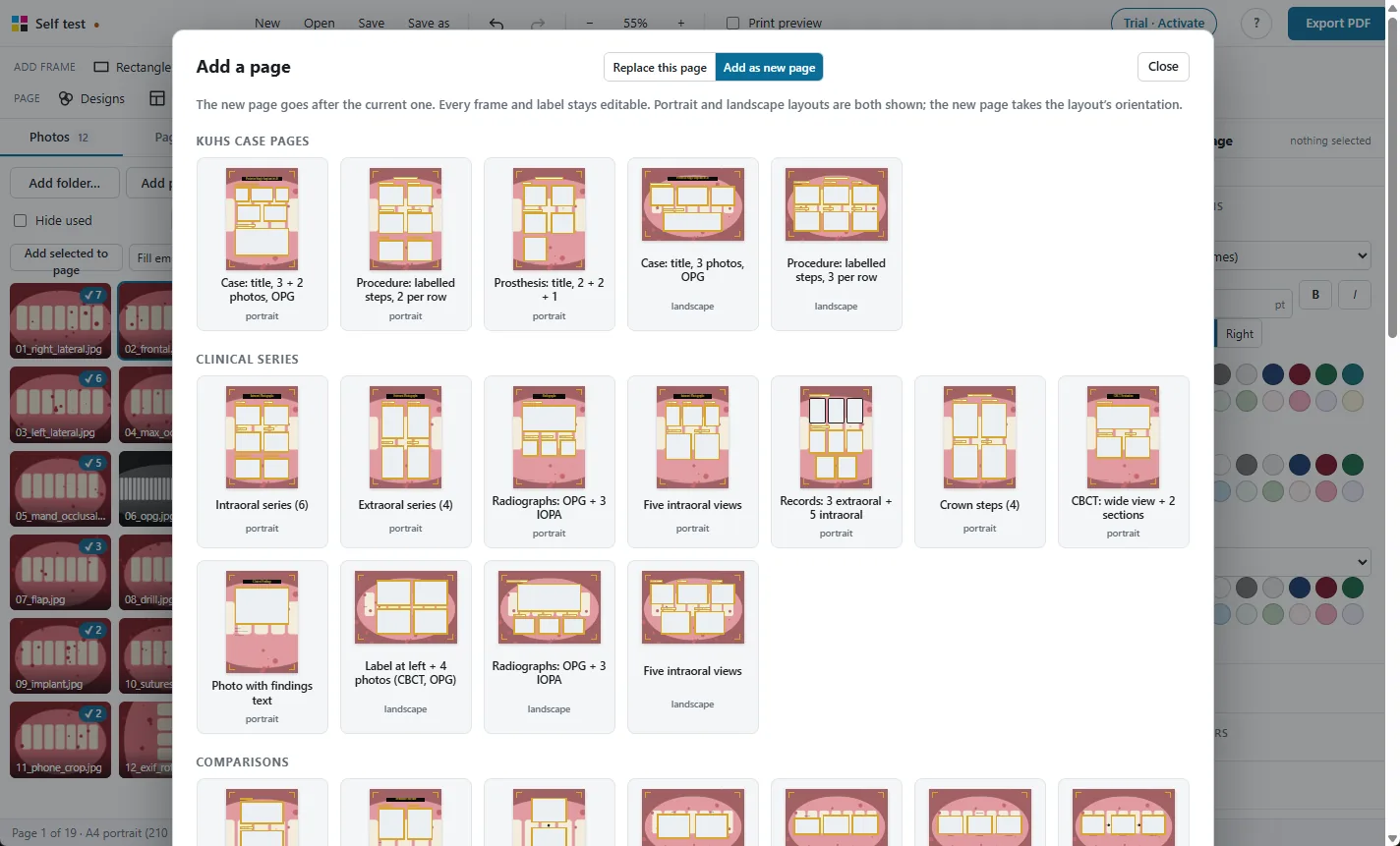
Portrait and landscape
Layouts drawn for landscape pages turn the new page to landscape. You can also set the orientation for the whole album, or for one page; frames are rescaled evenly, never stretched.
Replacing a page's layout moves the photos already on it into the new frames, in the same order.
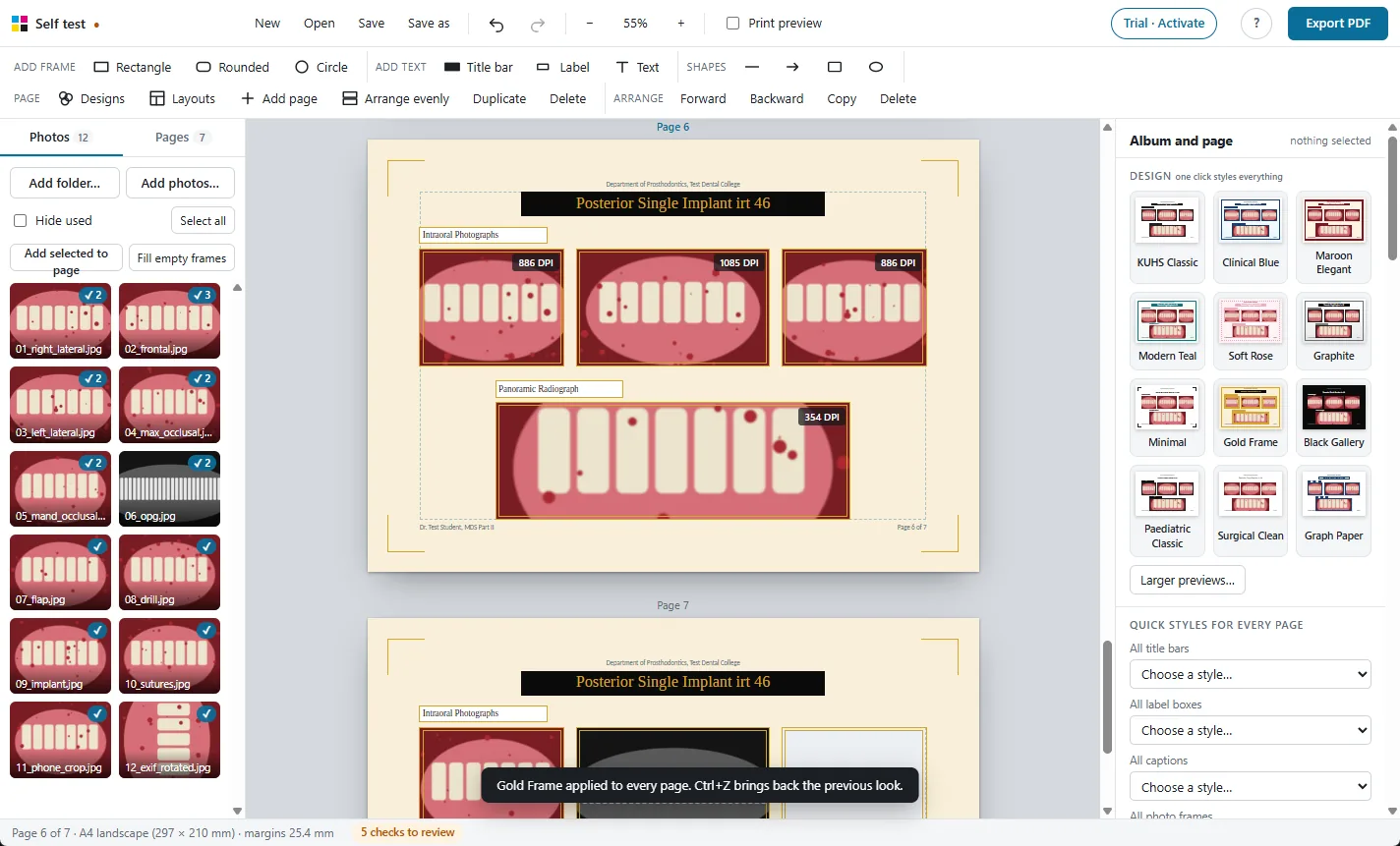
More features
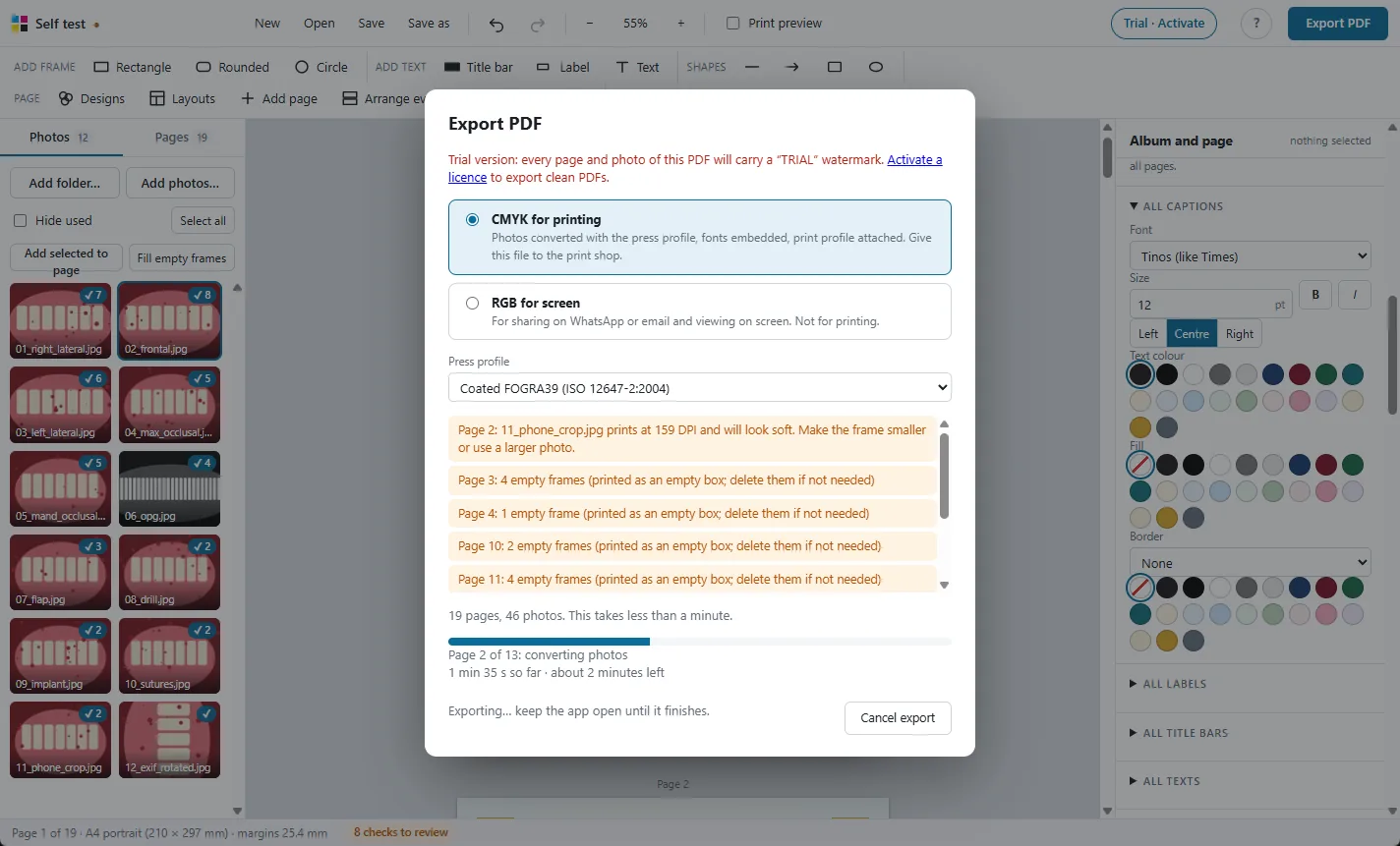
Print-ready CMYK PDF
Photos converted with the press colour profile, so prints match the screen.
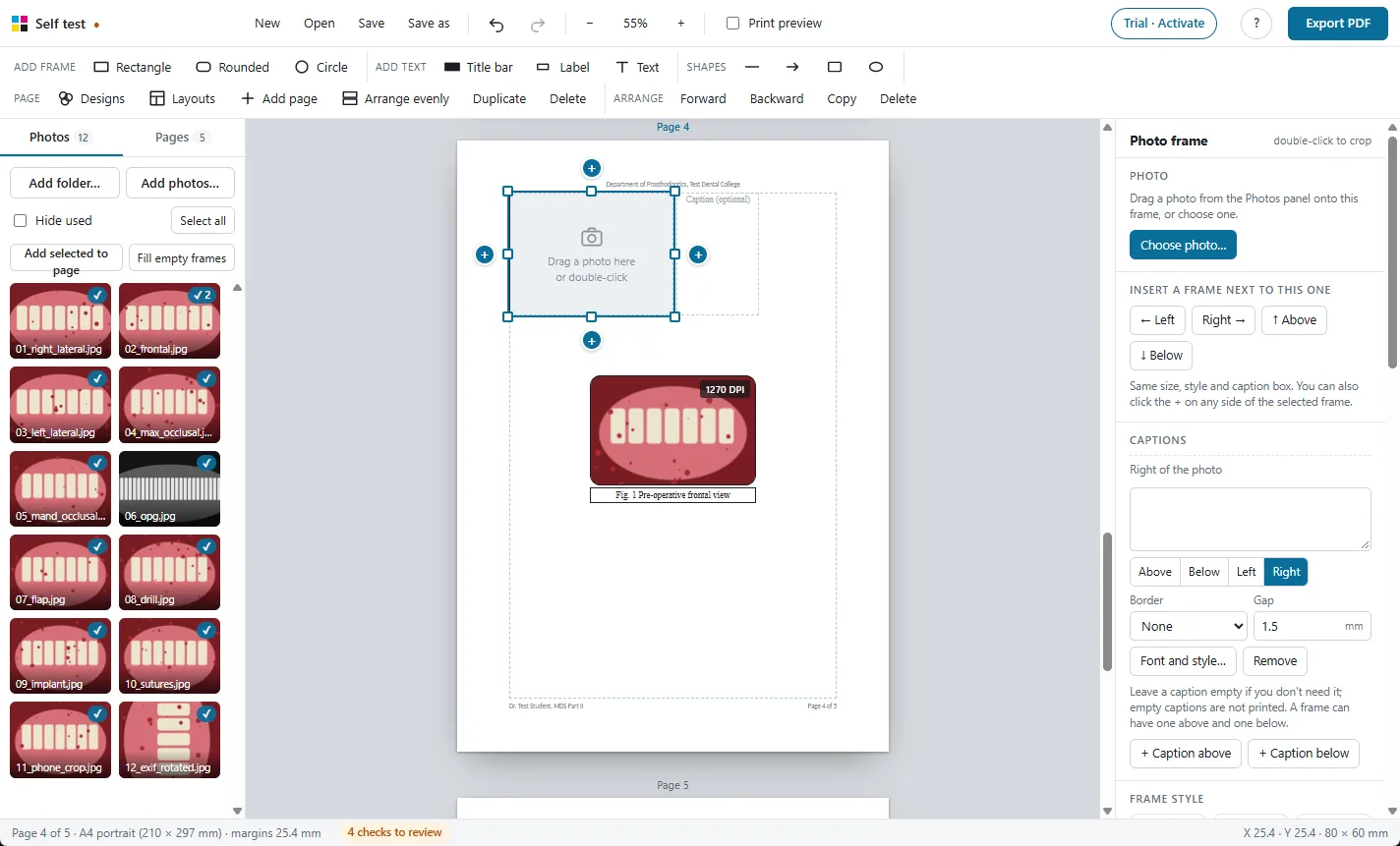
Frames and captions
Every photo gets a frame and a caption. Frames never overlap.
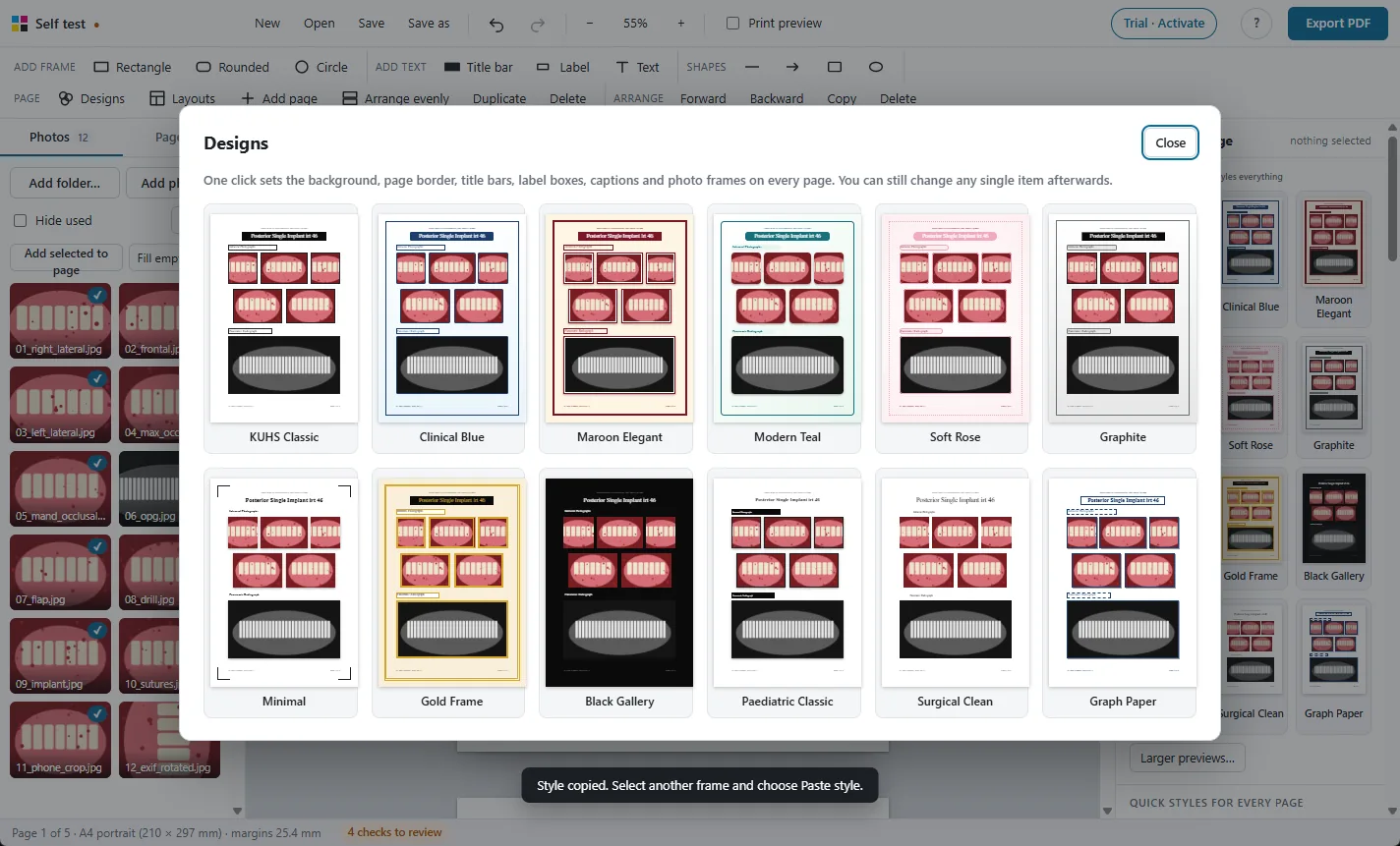
One-click designs
Restyle the whole album, change every caption's font at once.
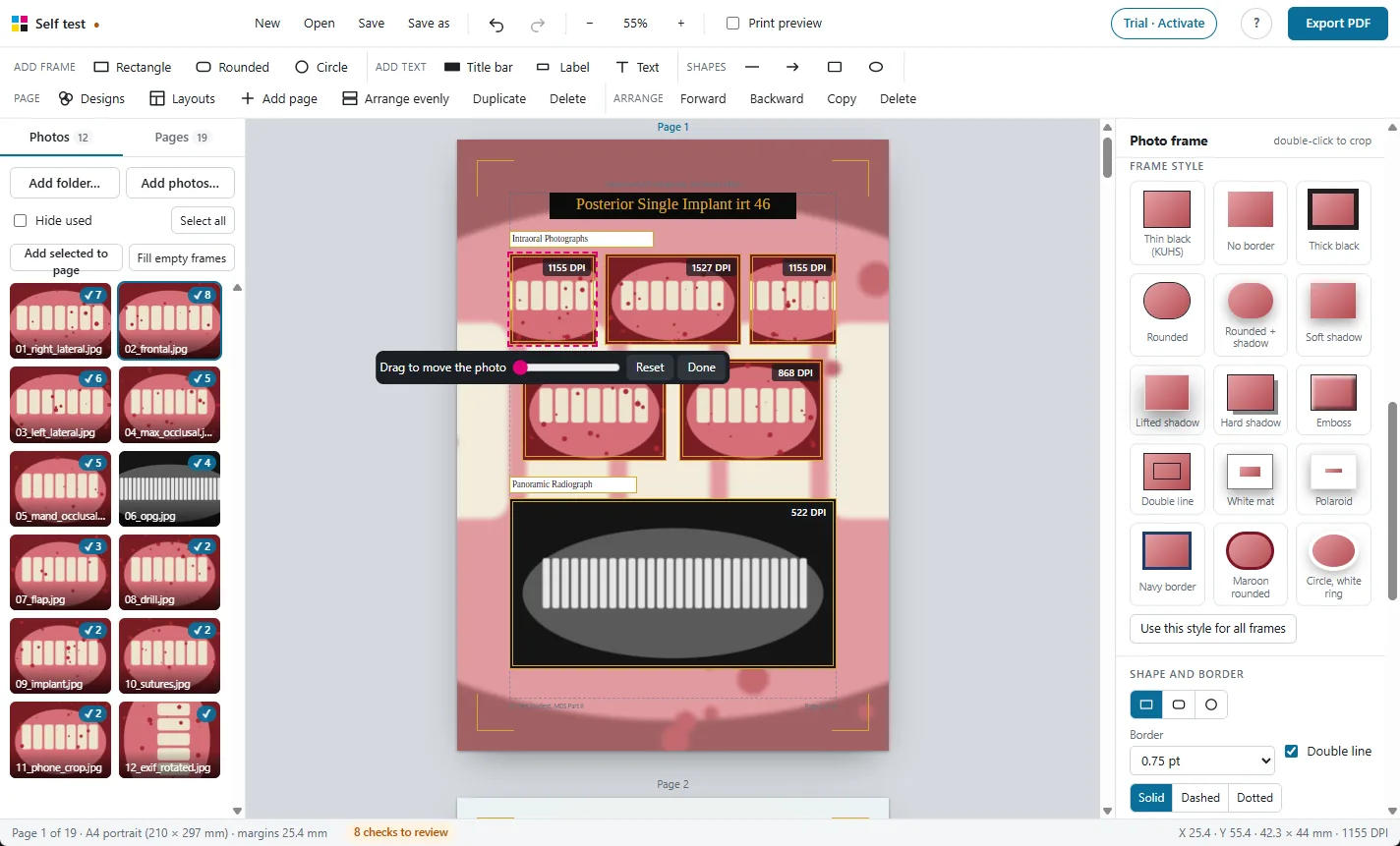
Crop, adjust and check
Crop, rotate, brighten, and see the print DPI of every photo.
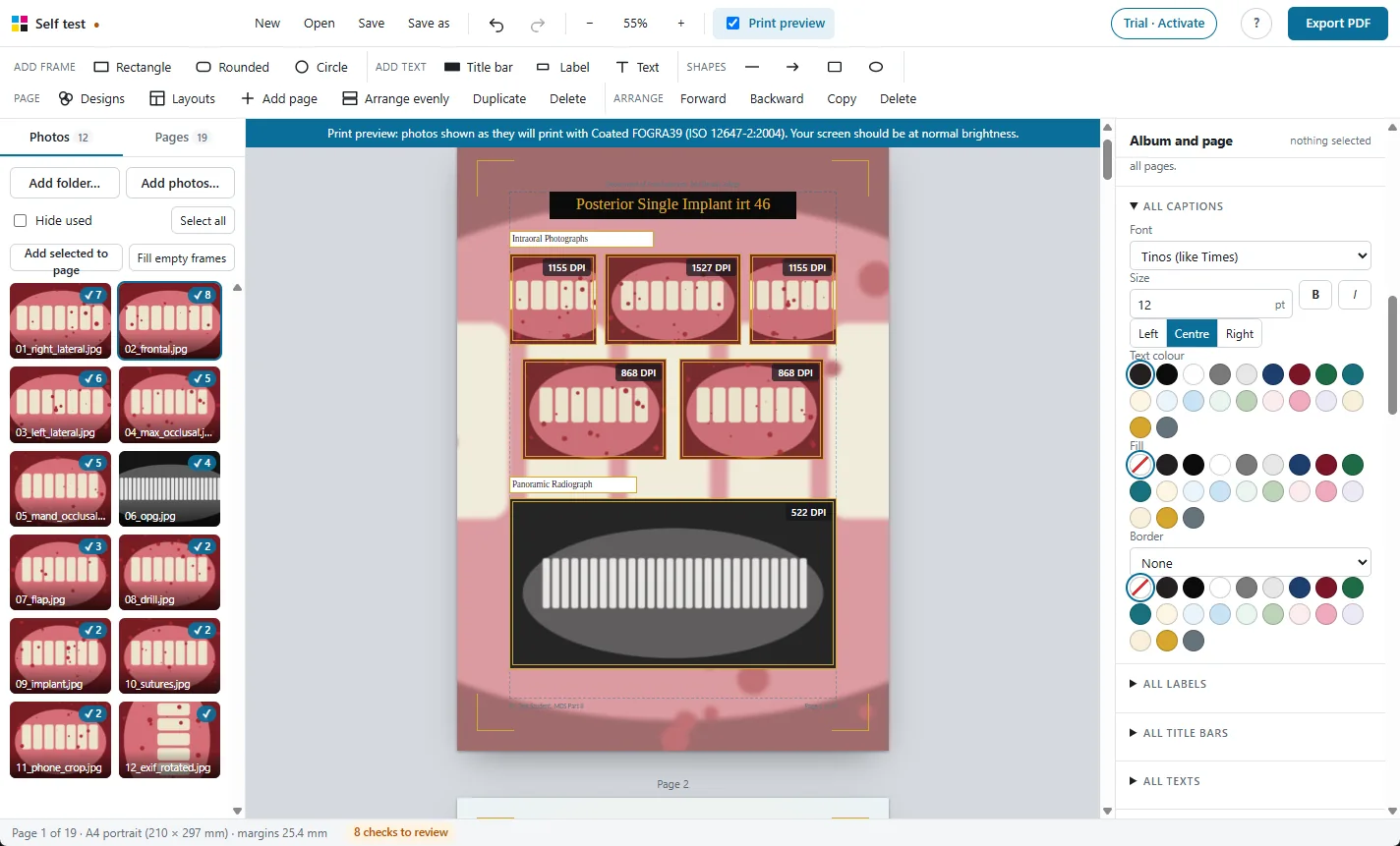
Print preview
See on screen how the photos will look on paper before you print.
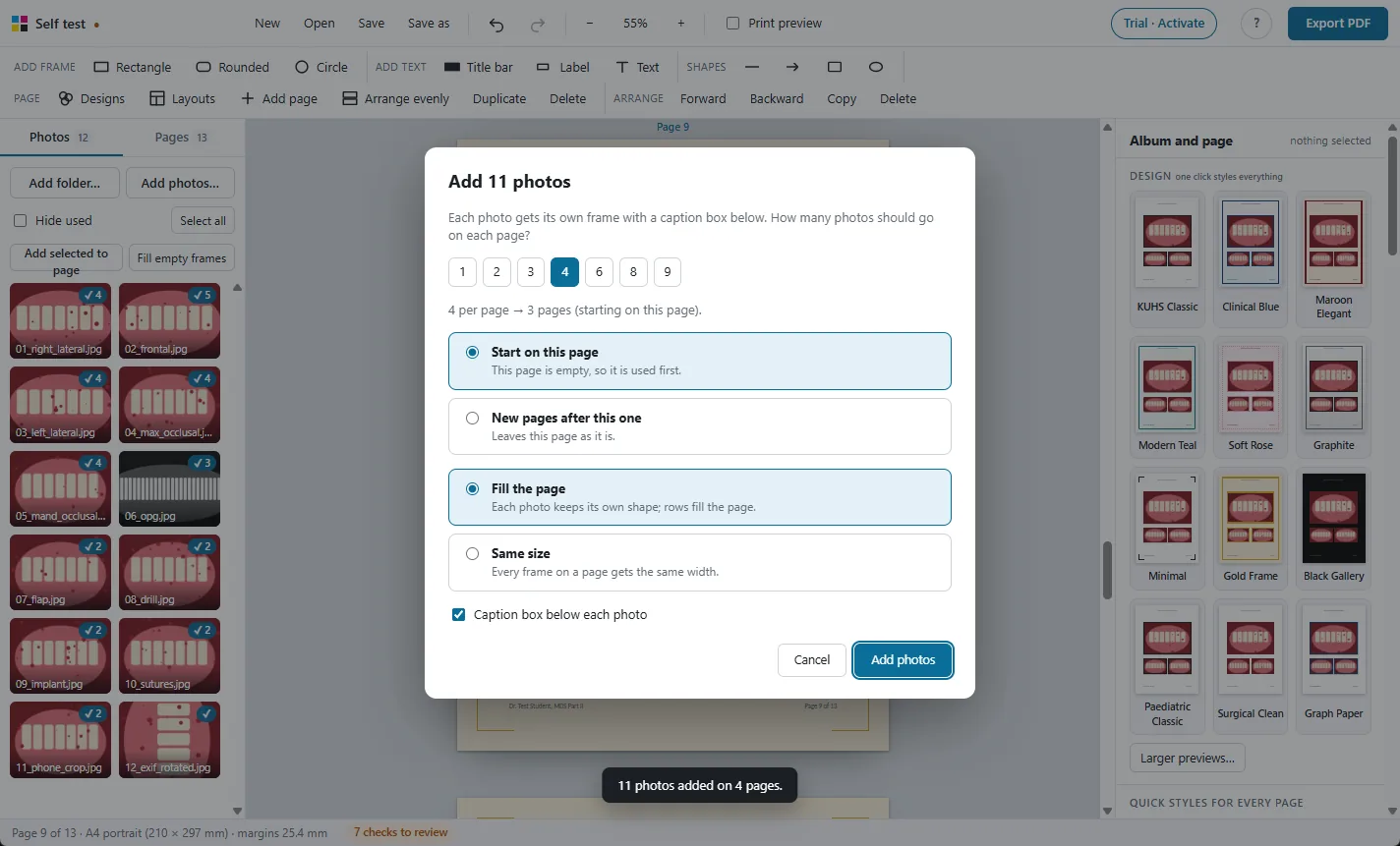
Large albums
Hundreds of photos and 250 pages, with autosave and project files.
Photos stay on your PC
A Windows app that works offline. Nothing is uploaded.
Try it free on your own photos
Every feature works in the 30-day free trial. Exported PDFs carry a TRIAL watermark until you activate a licence: ₹500 for one year.