A print-ready CMYK PDF
Screens show colour with red, green and blue light. Presses print with cyan, magenta, yellow and black ink. The app makes that conversion itself, with the colour profile of the press, instead of leaving it to the print shop's driver.
What the PDF contains
- Every photo converted to CMYK with the press ICC profile, using perceptual rendering with black point compensation, so the tonal steps in reds and pinks survive.
- The press profile embedded in the PDF as its output intent, so the shop knows what it was made for.
- Photos kept at up to 300 DPI at their printed size. Larger photos are scaled to 300 DPI, so the file stays a sensible size.
- Fonts embedded. Black text printed in black ink only, which keeps captions crisp.
- Exact A4 pages, portrait or landscape, page by page.
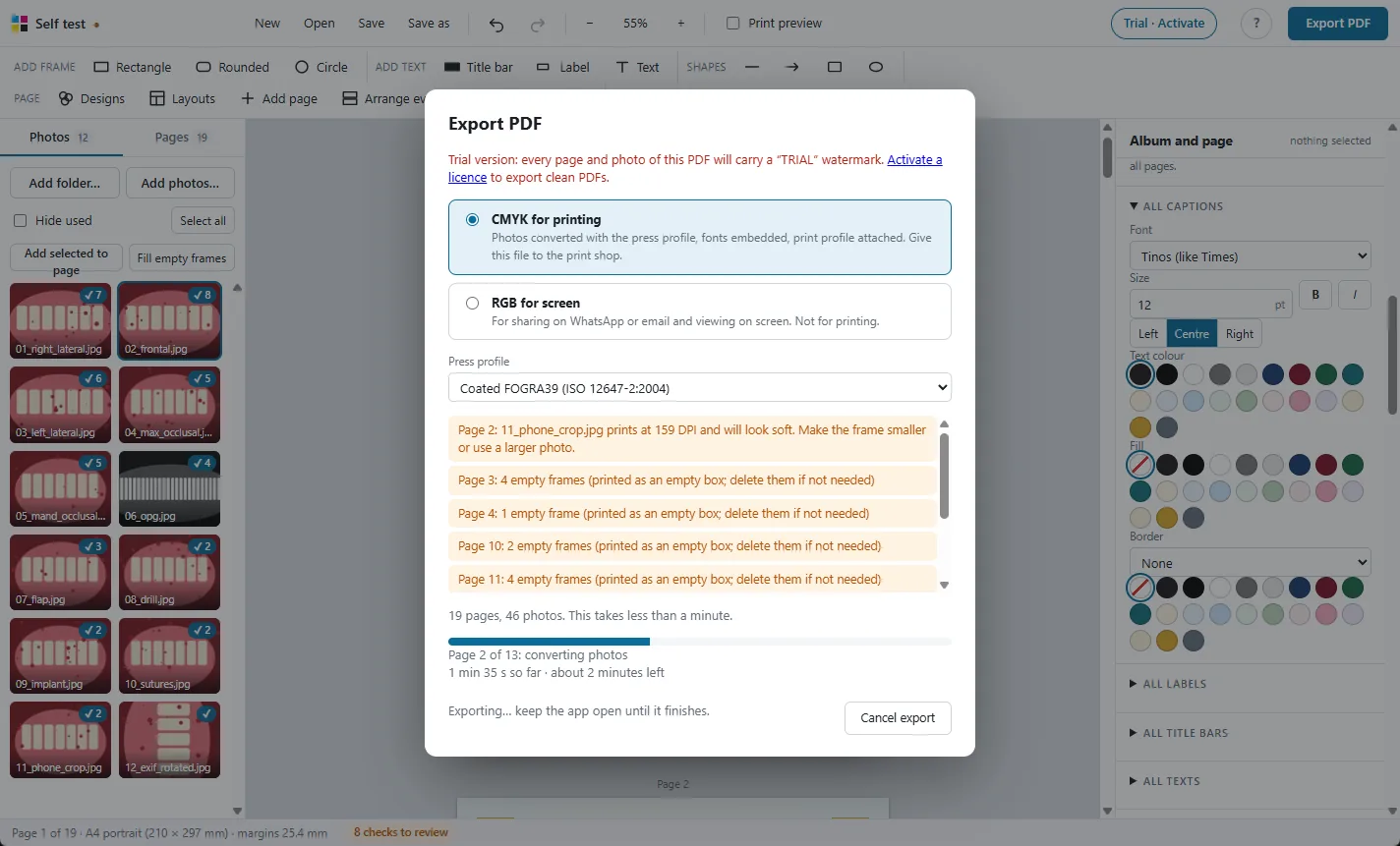
Choose the press profile
Pick the colour profile of the press that will print the album. Ask your print shop which one they use; FOGRA39 is common for coated paper. The app lists the CMYK profiles installed in Windows.
Need a copy to share on WhatsApp or email? Choose RGB for screen for a PDF that looks right on phones and laptops.
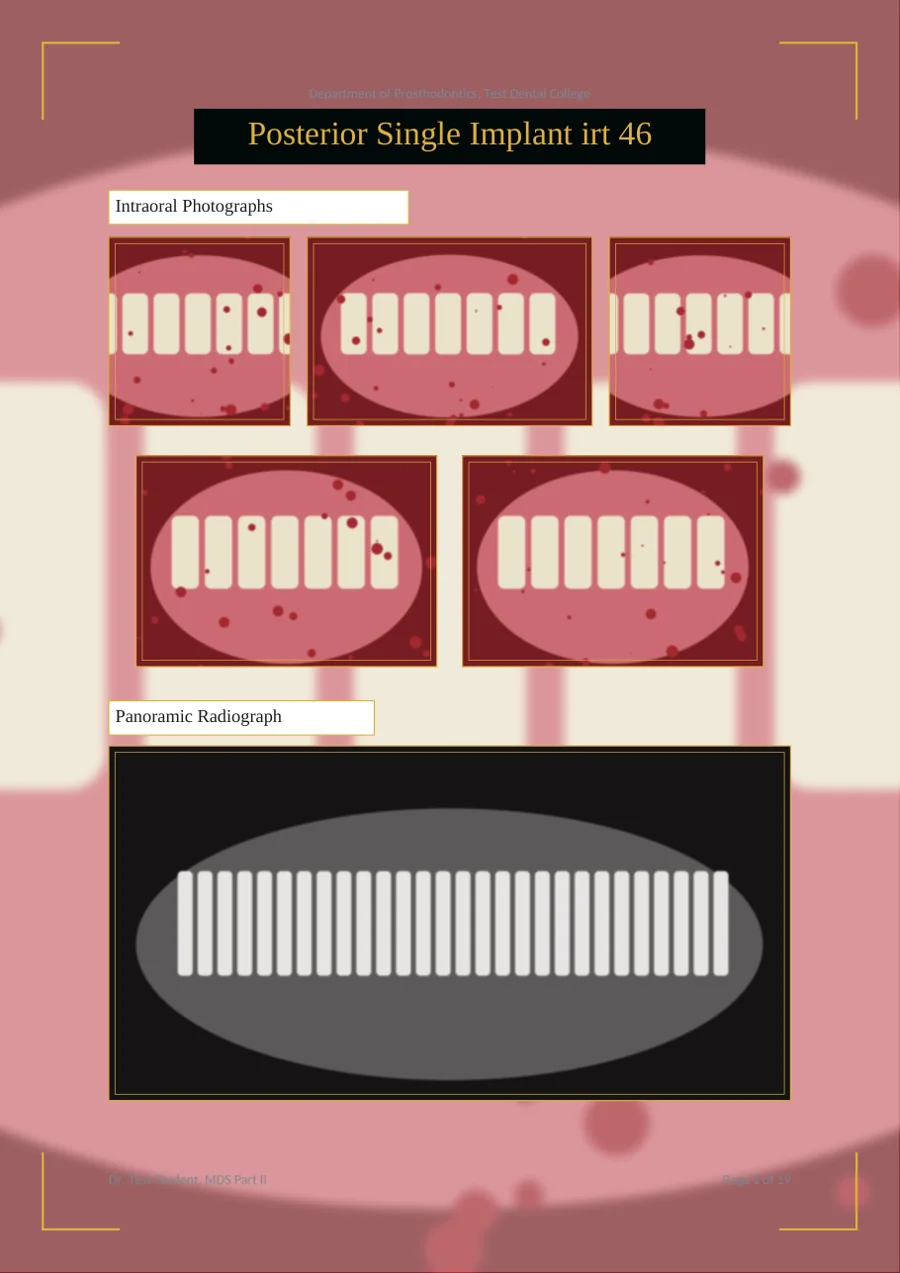
Word or PowerPoint PDF compared
| In a PDF saved from Word or PowerPoint | What you see on paper | In MDS Clinical Case Album |
|---|---|---|
| Photos stay RGB; the printer driver converts them with generic settings | Dark, muddy or washed-out photos that differ from shop to shop | Converted to CMYK with the press profile |
| Saturated reds and pinks fall outside what ink can print and get clipped | Gingiva and inflamed tissue lose detail and turn flat | Perceptual conversion keeps the tonal steps |
| No output intent: the file does not say which press it is for | The shop guesses, and colours need rework | The press profile is embedded |
| Black text made from all four inks | Captions can look fuzzy with coloured edges | Text in black ink only |
| Pictures compressed when the file is saved | Fine detail and soft-tissue texture are lost | Photos kept at up to 300 DPI |
More features
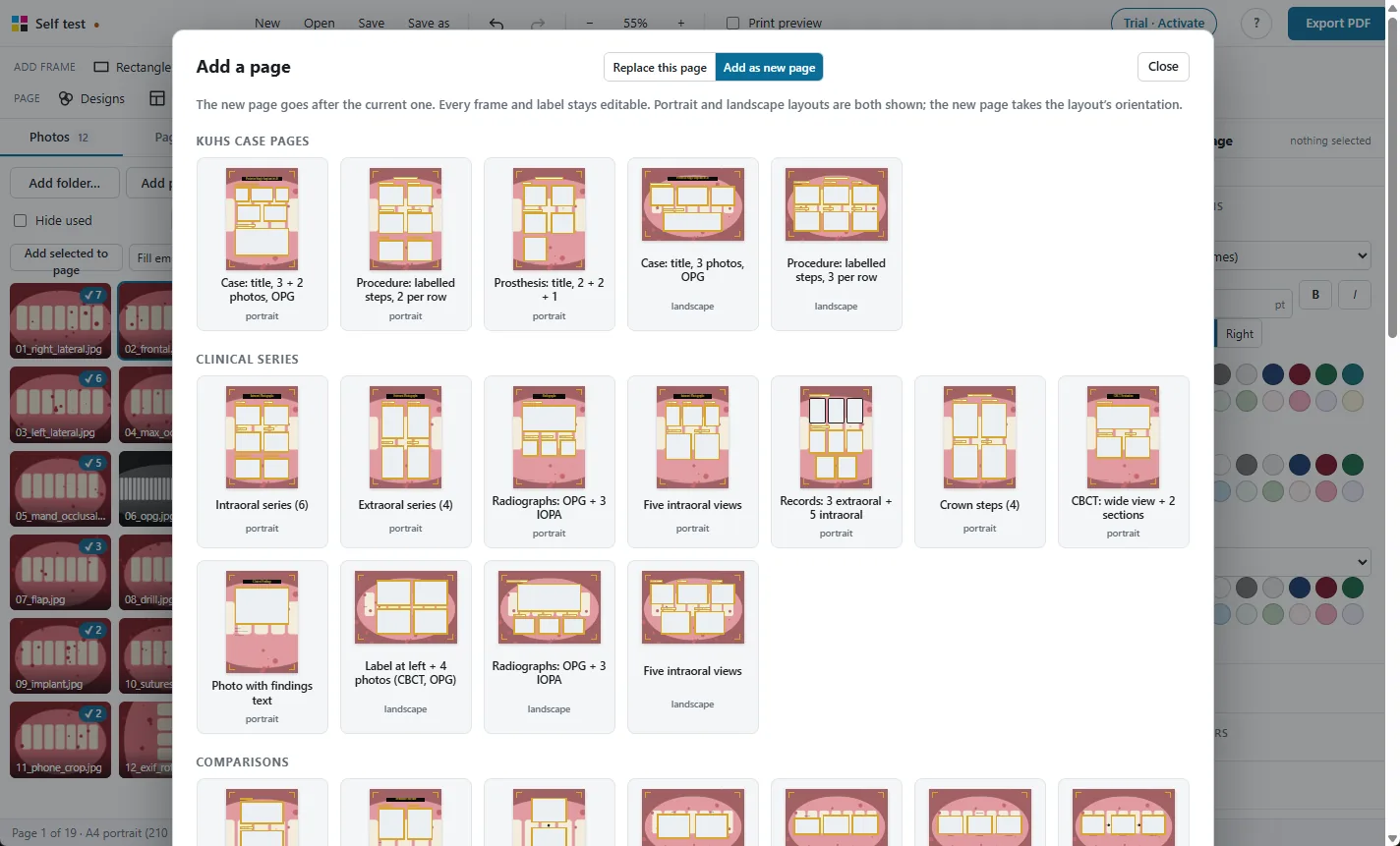
98 ready layouts
Pages for every MDS department, KUHS case pages, comparisons and new collage designs.
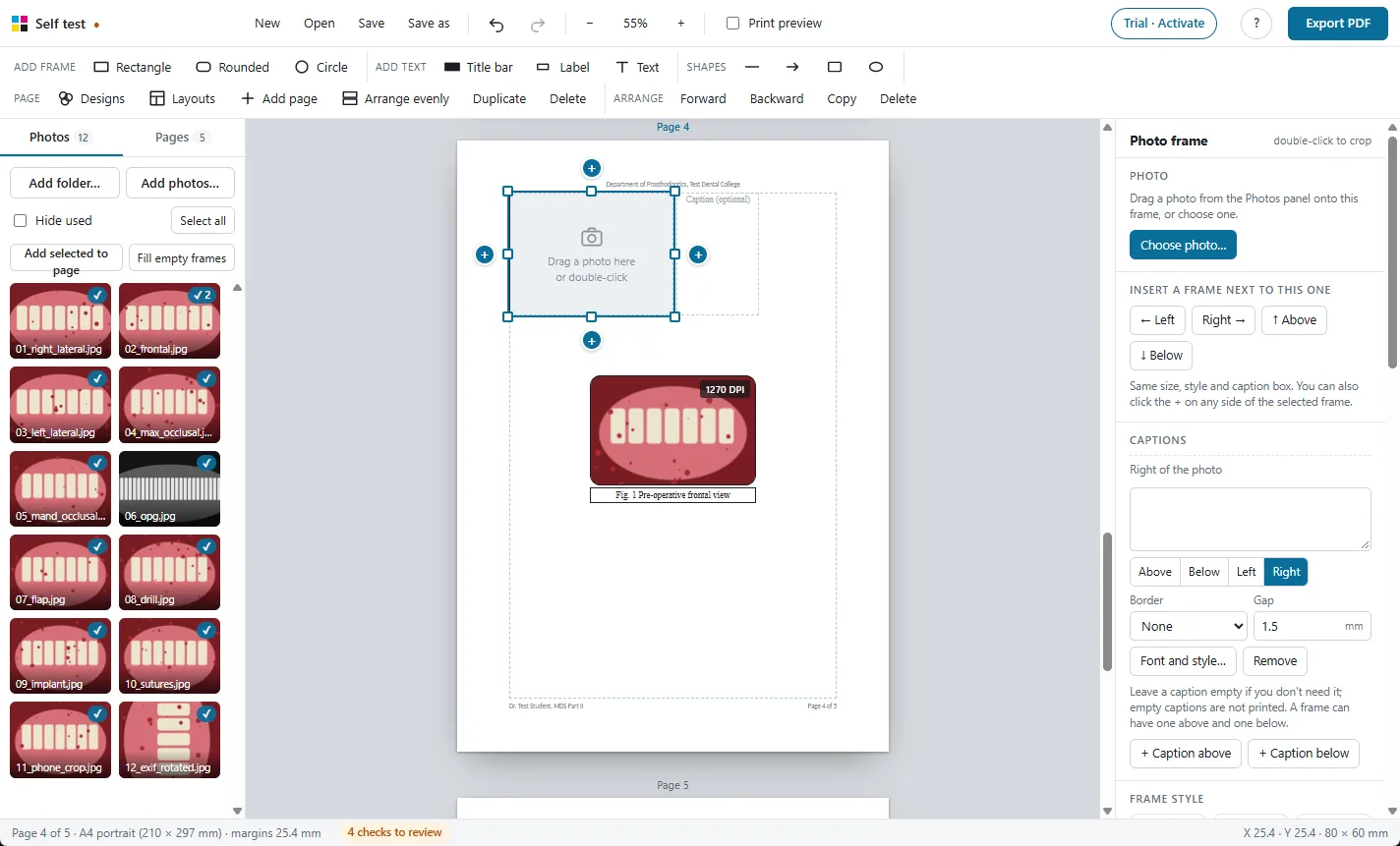
Frames and captions
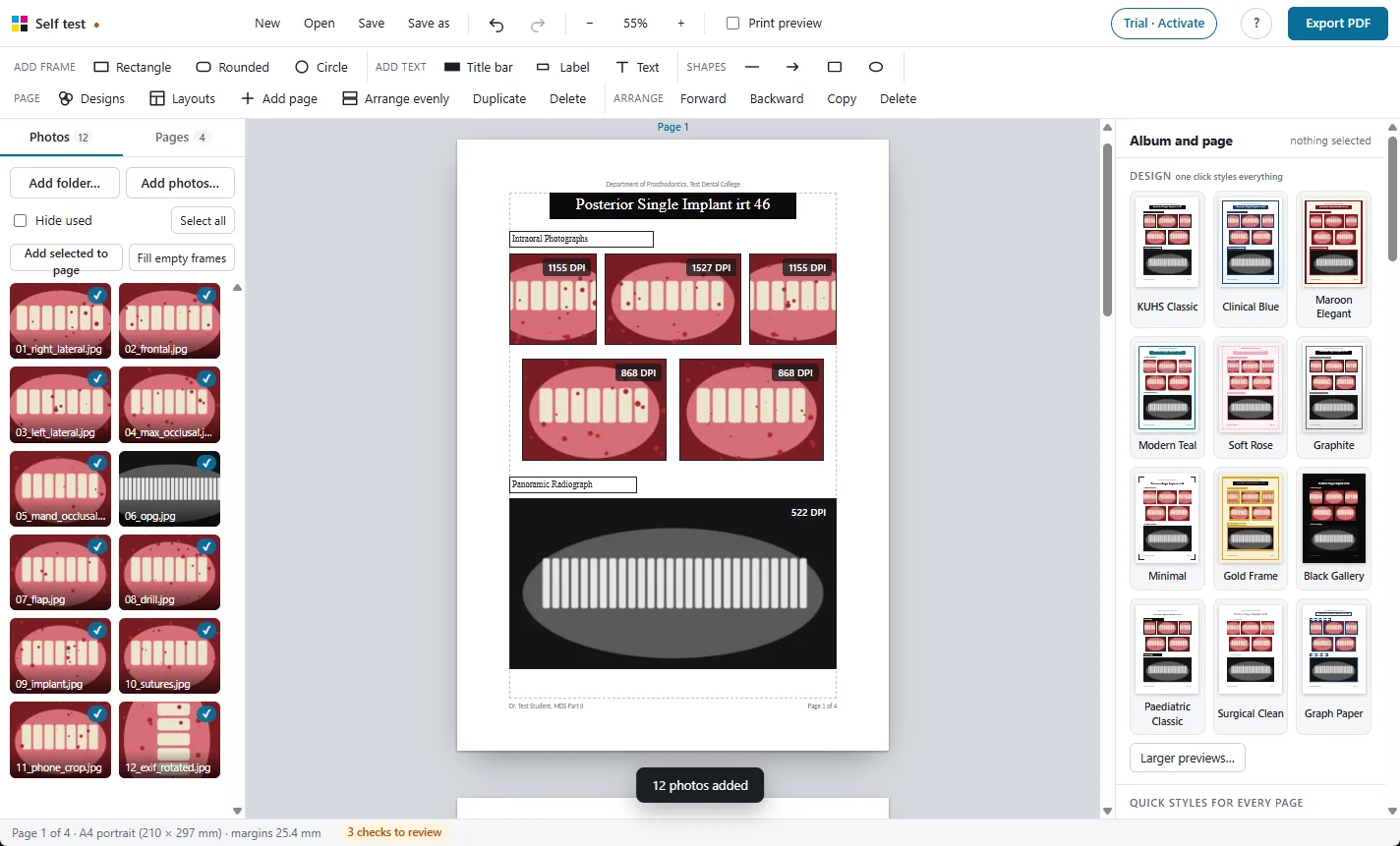
Every photo gets a frame and a caption. Frames never overlap.
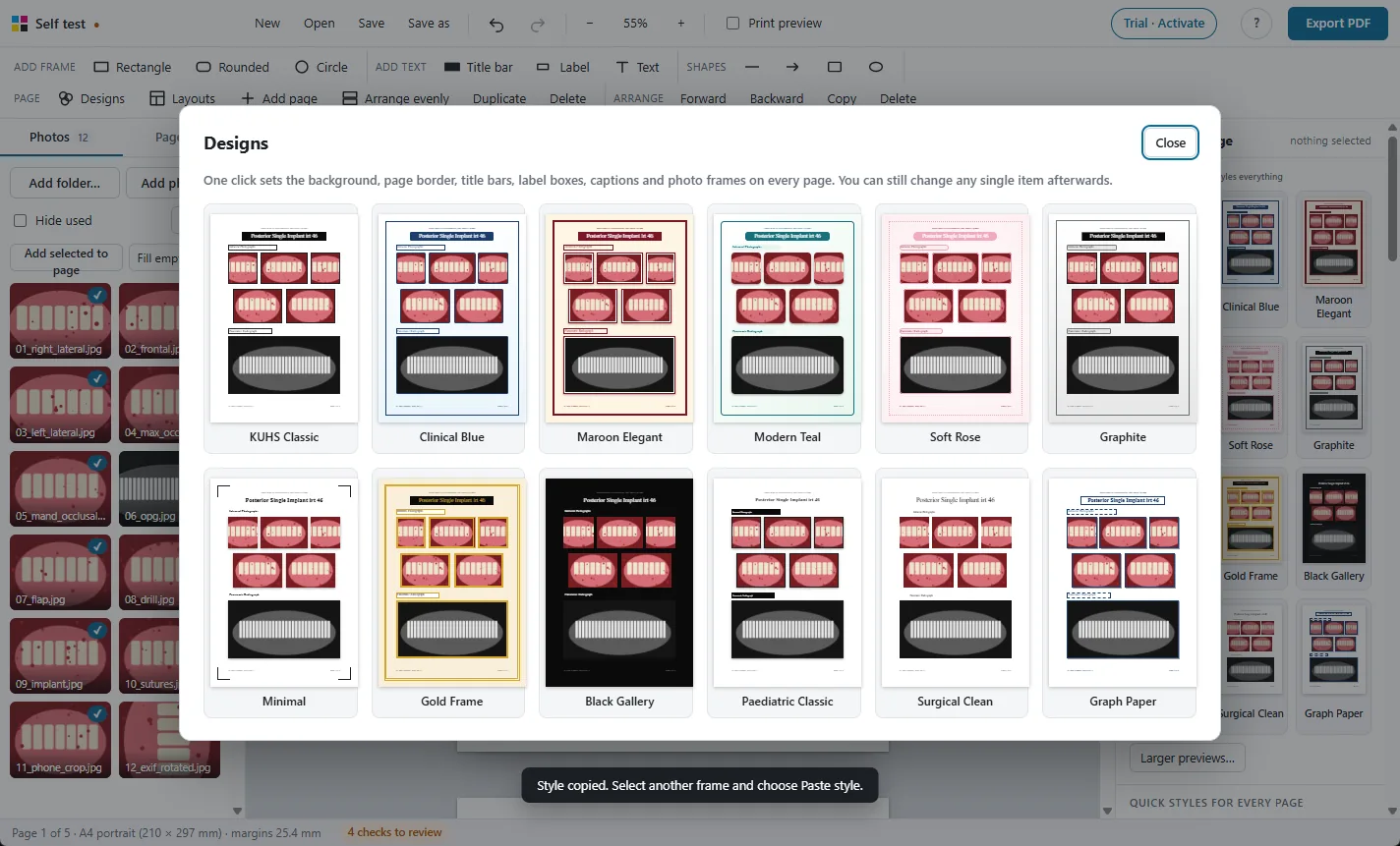
One-click designs
Restyle the whole album, change every caption's font at once.
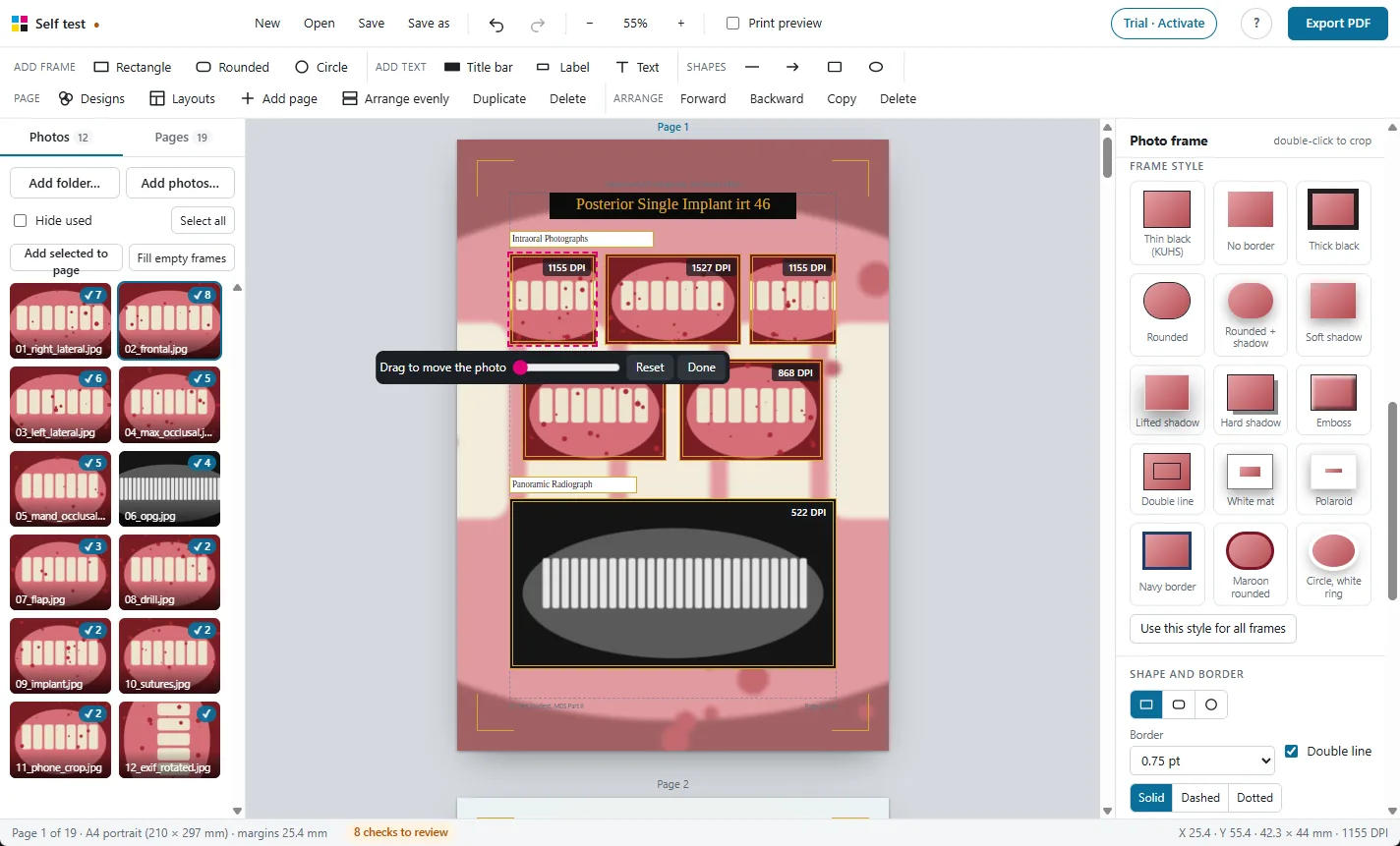
Crop, adjust and check
Crop, rotate, brighten, and see the print DPI of every photo.
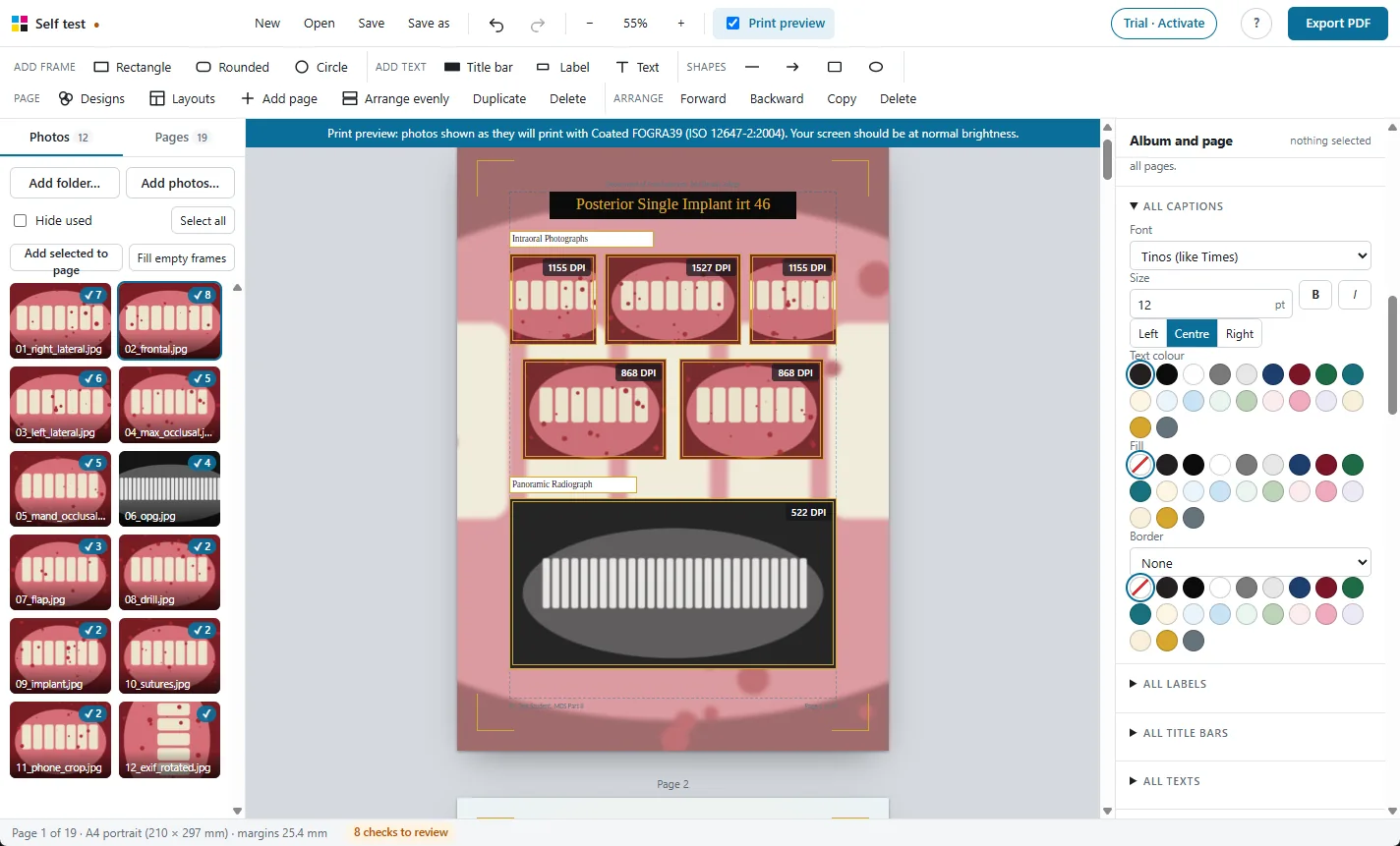
Print preview
See on screen how the photos will look on paper before you print.
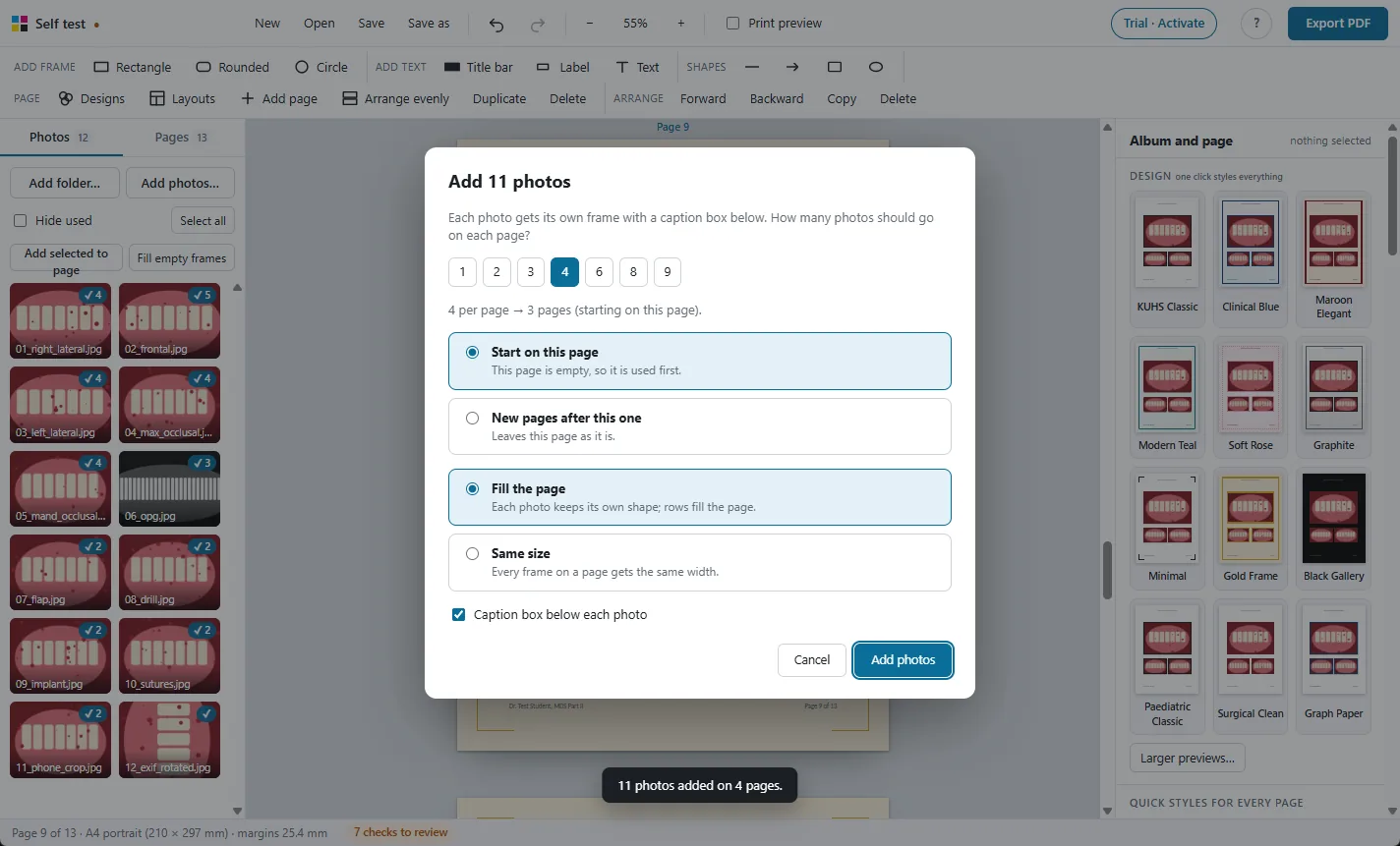
Large albums
Hundreds of photos and 250 pages, with autosave and project files.
Photos stay on your PC
A Windows app that works offline. Nothing is uploaded.
Try it free on your own photos
Every feature works in the 30-day free trial. Exported PDFs carry a TRIAL watermark until you activate a licence: ₹500 for one year.